


FromTheRestaurant
3.8103.00 Reviews
App Specs
- Version
- 4.16.8
- Updated On
- License
- Free
- Downloads
- 100,000+
- Developer
- Fox Ordering: Fast Ordering eXperience
- Categories
- Food & Drink
- Platform
- Android
Screenshots
 Analysis by AppCompare
Ordering food ahead sounds simple, but the useful question is whether an app makes that process clearer or merely moves the queue onto your phone. I spent time looking at FromTheRestaurant as a food and drink app, focusing not only on the ordering idea but also on the choices a user can actually see and control. My impression is cautiously positive: it can be convenient when a participating restaurant is already part of your routine, yet it is not the kind of app I would install expecting a universal directory of every nearby place.
The app is developed by Fox Ordering: Fast Ordering eXperience and is free to use. Its central promise is practical rather than ambitious: place an order before arriving so you can avoid waiting at the counter. That makes it most relevant to people who regularly pick up food during a lunch break, on the way home, or while managing a busy family schedule. The experience is less compelling if you usually eat at home, prefer delivery, or choose restaurants spontaneously without knowing whether they support the service.
What using the ordering flow feels like
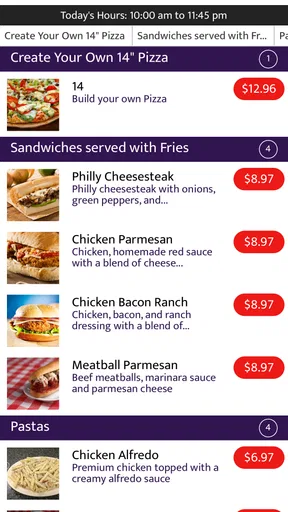
The strongest part of the concept is the change in timing. Instead of joining a physical line, I can make the decisions earlier, review the meal, and arrive with pickup in mind. That is a meaningful difference in a crowded café or quick-service restaurant, especially when every minute matters. The app’s store summary, “Skip the line, order ahead,” accurately describes the practical benefit without suggesting that it replaces the restaurant itself.
There is an important distinction between ordering ahead and ordering instantly. The app can reduce counter time, but the restaurant still has to prepare the food. I would therefore use it before leaving work or while walking toward a venue, not when I am already standing outside expecting the meal to be waiting immediately. That small adjustment in expectations is one of the most useful habits for avoiding frustration.
The short description identifies the service as “FromTheRestaurant,” which also hints at its focus: the order is connected to the restaurant rather than being presented as a broad delivery marketplace. In practical terms, that can be an advantage for pickup. You are not choosing between delivery fees, couriers, and arrival tracking when your actual goal is simply to collect food yourself. On the other hand, anyone looking for one app that compares many restaurants may find the experience narrower than a large delivery platform.
I would begin by checking whether the restaurant I visit most often is available, rather than downloading the app and assuming coverage. This is particularly important for occasional travelers. An ordering tool is only useful at the moment you need it if the relevant restaurant supports it, and the app’s value depends heavily on that local connection.
Why the restaurant relationship matters
Because the service is built around restaurant ordering, the best workflow is to treat it as a pickup companion, not as a restaurant discovery engine. I would decide where I want to eat first, then use the app to make the order more efficient. That approach avoids wasting time browsing when the app may be better suited to a known place and a repeat purchase.
Worth Reading Before You Choose

EA SPORTS FC Mobile 26 Is a Bigger Football Game, but It Takes Time

Flipboard Shows What News Apps Must Do Beyond the Feed

Switching to Android Auto Means Rethinking Your Driving Routine

Google Calendar Makes a Crowded Week Easier to Manage

Ludo King Makes the Most of the Minutes Between Plans

Baby Panda World Brings Quick Play to Modern Phones, but Its Game Library Feels Busy
There is also a trust benefit in keeping the order close to the restaurant. I prefer seeing the source of the food clearly rather than feeling that several intermediaries are involved. Still, the app should not be treated as a guarantee that every menu item, preparation time, or substitution will be handled exactly as it would be at the counter. Restaurant operations can change, and the safest approach is to review the final order carefully before confirming it.
A realistic example is a weekday lunch. I might open the app before leaving the office, select a familiar meal, check the order details, and head to the restaurant after allowing enough time for preparation. When I arrive, the benefit is not that the food appeared instantly; it is that I avoided standing in the ordering queue. For a single person with a predictable lunch, that is a sensible use case. For a large group still debating what everyone wants, ordering at the counter may actually be faster and less error-prone.
Small habits that make the app more useful
My first tip is to prepare the order before you reach the busiest part of your journey. Doing it while walking through a noisy street or while rushing into a restaurant makes it easier to miss an option or confirm the wrong item. I would also keep the restaurant and pickup intention in mind before opening the app, because advance ordering works best when it is a deliberate step rather than an emergency shortcut.
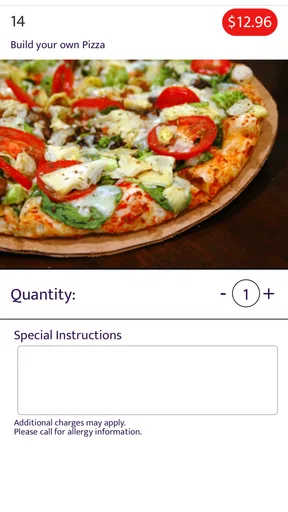
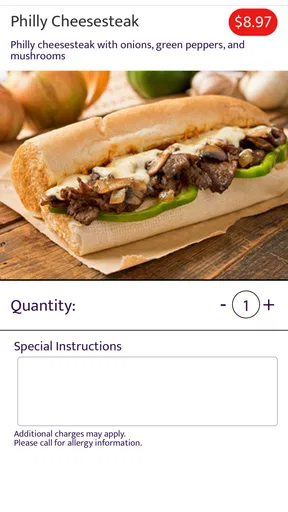
My second tip is to inspect the order summary as if you were checking a receipt. Look at the selected items, quantities, and any visible customization before placing the order. This is more important for group meals, where one mistaken quantity can undermine the time saved by skipping the line. The app’s convenience should not encourage a faster but less careful confirmation.
A third useful trade-off is deciding when not to order ahead. If you are only a few minutes from the restaurant and the menu is uncertain, waiting may be wiser. Ordering early can be helpful for a known meal, but it can be awkward when plans change, when you are unsure how hungry you will be, or when you may arrive much later than expected. The app improves control over queue time, not over every part of your day.
Trust, controls, and moments that deserve attention
When I assess a food-ordering app, I pay attention to visible choices more than reassuring language. I want to know what I am confirming, whether the app makes the order destination clear, and whether I can review my choices before committing. Those are practical trust signals because they affect money, food preferences, and the chance of collecting the wrong meal.
FromTheRestaurant is rated for Everyone, which makes its straightforward food-ordering purpose accessible to a broad audience. It has passed the one-hundred-thousand-install mark and holds an average rating of 3.8 from roughly three hundred forty ratings, with just over one hundred written reviews. I read that as evidence of a real user base, but not as a reason to assume the experience will be identical at every restaurant. A mid-range rating usually encourages me to test the workflow with a modest order first rather than relying on it immediately for a large event.
The current version is 4.16.8, and the app supports Android from version 4.4 onward. That broad compatibility may help people using older phones, although compatibility alone does not tell me how smoothly the app will behave on every device. I would keep the phone’s operating system and the app itself reasonably current where possible, especially when an order depends on the screen remaining responsive during confirmation.
The most data-sensitive moment is the point at which an order is finalized. Before confirming, I would check the restaurant name, pickup details, selected food, and any visible total or payment information. I would also avoid entering information that is not needed for the immediate order. A focused habit like this gives me more control than accepting every prompt automatically, regardless of which food-ordering service I use.
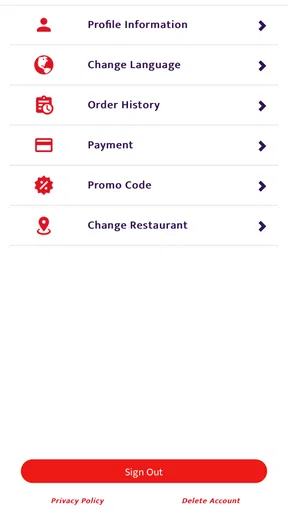
Account control matters too. If the app asks me to create or access an account, I would use a password I do not reuse elsewhere and review any sign-in options presented on screen. I would also look through the device’s app settings after installation to see which permissions are enabled and whether each one makes sense for the way I plan to use the service. I cannot recommend granting broad access by default; I prefer choosing only what is necessary for my own workflow.
That does not mean the app is suspicious. It means food ordering combines personal preferences, restaurant choices, and sometimes payment details, so I want visible decisions at each stage. The developer’s name, Fox Ordering: Fast Ordering eXperience, is clearly associated with the product, which gives the app an identifiable source. Even so, I would still read the on-screen prompts myself rather than treating the developer name as a substitute for checking settings.
Where user agency can be lost
Fast ordering can create pressure to tap through screens quickly. That is the main behavioral risk I see in this type of app. When the goal is to save time, people tend to skip the review step, overlook an unwanted item, or confirm an order before checking the pickup plan. My recommendation is simple: slow down for the final screen, then speed up everywhere else.
I would also keep notifications under control. If the device offers notification choices, I would select the level that helps me manage the current order without allowing unnecessary interruptions. The right setting depends on how often I use the app, but the general principle is useful: notifications should support pickup, not turn a single lunch order into a constant stream of reminders.
Another point of agency is knowing when to use the restaurant’s own channel instead. If I need to ask about allergies, make a complicated substitution, clarify a special request, or resolve an unusual payment issue, direct contact with the restaurant may be more appropriate. A structured app order is efficient for standard choices; it is not automatically the best place for a conversation that needs human confirmation.
How it compares with familiar alternatives
Compared with ordering in person, FromTheRestaurant’s advantage is the ability to move menu decisions away from the counter. That is valuable when the restaurant is busy and your order is uncomplicated. In-person ordering remains better when you need advice, want to change the meal repeatedly, or are ordering for people who have not decided yet.
Compared with a delivery marketplace, the app appears more focused on the restaurant-to-customer pickup relationship. That can mean less distraction from delivery choices and a more direct routine for collecting food. A large marketplace is usually the better option when you want to compare many venues, arrange delivery, or manage a broader search from one place. I would not install this app as a replacement for every food service on my phone; I would use it for the specific restaurants and situations it handles well.
Compared with calling the restaurant, the app offers a written order flow that may be easier to review than a hurried conversation. Calling can still win for unusual requests, accessibility needs, or questions that the menu does not answer. The best choice depends on whether your order is standard enough to fit the app’s structure.
Who should use it, and who should skip it
I think the app is a good fit for regular pickup customers who value a shorter counter experience. It is especially suitable for a predictable lunch routine, a coffee stop before commuting, or a repeat meal where you already know what you want. People using older Android hardware may also appreciate the stated minimum operating-system support, provided the app remains comfortable on their particular device.
I would be more cautious if you mainly need delivery, broad restaurant comparison, live courier coordination, or detailed customer support before ordering. I would also skip relying on it for a large group until I had tested the restaurant connection with a smaller purchase. The free price removes the cost barrier to trying it, but time and order accuracy still matter, so a small first test is the sensible approach.
My final view is measured rather than enthusiastic. FromTheRestaurant is most convincing when it stays in its lane: helping me place a known restaurant order ahead of pickup. Its usefulness comes from reducing queue friction, not from replacing every other way of finding, discussing, or receiving food.
I would recommend trying it if a restaurant you already trust uses the service and your orders are usually straightforward. Before making it part of your routine, I would review the visible order details, check the phone’s permission and notification choices, and test how the pickup handoff works with a modest order. Those steps preserve user control while letting the app deliver its main benefit.
At no cost, it is reasonable to experiment, but I would keep expectations local and practical. The 3.8 average suggests a mixed but usable reception rather than a universally seamless experience. For my own habits, that makes it a selective tool: worthwhile for planned pickup, less suitable for spontaneous discovery or complicated requests. If that matches the way you buy food, this app may earn a place on your phone; if not, the restaurant’s own ordering route or a broader delivery service may serve you better.
Pros
- Simple way to browse restaurant menus and discover nearby dining options.
- Useful details can help users compare restaurants before choosing where to eat.
- Clean
- food-focused presentation makes menu browsing easy to understand.
- Convenient access to restaurant information from a mobile device.
- Helpful for planning meals when you want to try somewhere new.
Cons
- Restaurant coverage may vary significantly by city or region.
- Menu details can become outdated when restaurants change prices or dishes.
- Some listings may lack photos
- reviews
- or complete restaurant information.
- The app may offer limited value in areas with few participating restaurants.
- Users may still need another service to make reservations or place orders.
FAQs for FromTheRestaurant
What is FromTheRestaurant and what can I use it for?
FromTheRestaurant is designed to help users discover restaurant-related information and explore available dining options from a convenient mobile interface. Depending on the listings in your area, you may be able to browse restaurants, review menus or food details, compare choices, and find useful information before ordering or visiting. Availability and features can vary by location.
Is FromTheRestaurant available for both Android and iPhone?
Before downloading FromTheRestaurant, check the official Google Play Store or Apple App Store listing for your device. Compatibility may depend on your operating system version, device model, and region. If the application does not appear in your local store, it may not currently be supported there, or the developer may limit access to selected markets.
Does FromTheRestaurant require an account or personal information?
Some features of FromTheRestaurant may be available without registration, while others could require an account for saving preferences, placing requests, managing orders, or accessing personalized content. During setup, review the permissions and information requested by the app. It is also advisable to read the developer’s privacy policy to understand how account and usage data are handled.
Can I order food or make reservations through FromTheRestaurant?
The ability to order food, book a table, or contact a restaurant depends on the services supported by FromTheRestaurant and the participating businesses in your area. Some listings may only provide information, while others may connect you with ordering or reservation options. Always verify prices, delivery charges, opening hours, and confirmation details before completing a request.
Is FromTheRestaurant free to download and use?
FromTheRestaurant may be free to download, but certain services can involve additional costs. These might include delivery fees, booking charges, paid features, restaurant-specific prices, or in-app purchases. Check the store listing and the final checkout screen carefully before confirming anything. Also remember that mobile data usage and payment policies may vary depending on your provider and location.


